
What do Amazon and Shopify actually require?
Only Amazon requires white, and only for the main image. Shopify sets no background rule at all. White on Shopify is a choice for a tidy, even catalogue.
| Rule | Amazon main image | Shopify |
|---|---|---|
| Background | Pure white, RGB 255, 255, 255 | No rule |
| Product size | Fills 85% of the image | No rule. Keep one aspect ratio across products |
| Image size | 500 to 10,000 px on the long side. 1,000 px or more turns on zoom | Up to 5,000 × 5,000 px. 2,048 × 2,048 usually shows best |
| Format | JPEG recommended. PNG, TIFF and GIF accepted | PNG best, then JPEG |
| File name | Product ID plus view code, like B000123456.MAIN.jpg, for bulk upload | Any |
Read on 21 November 2026 from Amazon's Product image guide (US) and Shopify's Product media types. Neither page shows a date, so check them before a large upload. Some Amazon categories add rules: shoes, for example, are one shoe facing left at 45°.
Does a background remover make Amazon-ready images?
It gets the white right and the framing wrong. To find out, 12 product photos from Unsplash went through BG Remover Bulk in one batch, with White and JPG chosen.
How this was tested
- Photos
- 12 Unsplash product shots, 2,000 to 7,360 px, on paper, marble, fabric and studio backdrops
- Setup
- Production build in Chrome 158 on Windows 11. An RTX 40-series GPU with WebGPU, then again with the GPU turned off
- Measured
- Corner pixel values, the product's share of the frame, file size and time per image, read from the downloaded files
White was exact. All 24 files had RGB 255, 255, 255 in every corner. Framing was not: as shot, the product filled 42 to 81% of the image, so none of the 12 passed Amazon's 85% rule.
Show as a table
| Product | As shot | With Square |
|---|---|---|
| Mug | 41.6% | 84.9% |
| Pump bottle | 49.7% | 85.0% |
| Black backpack | 52.2% | 85.0% |
| Sneakers | 61.1% | 85.0% |
| Grey satchel | 62.7% | 85.0% |
| Tan tote | 67.3% | 85.0% |
| Serum bottle | 67.5% | 85.0% |
| Green cup | 70.9% | 85.0% |
| Headphones | 71.7% | 85.0% |
| Sunglasses | 75.9% | 85.0% |
| Brown backpack | 79.4% | 85.0% |
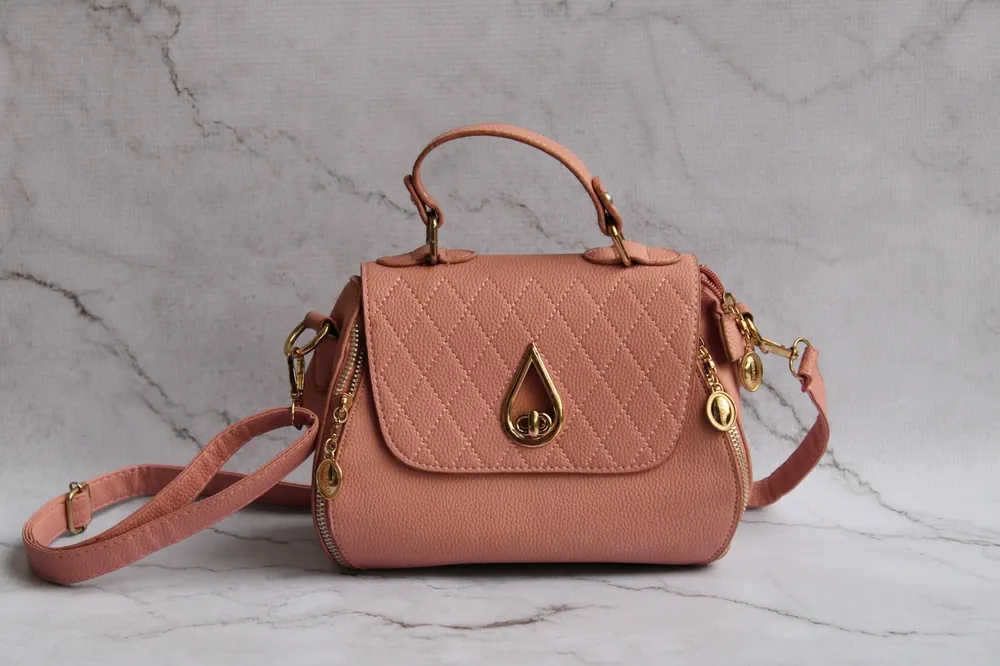
| Pink handbag | 80.9% | 85.0% |
Turning on Square fixes it in the same batch. Each product is centred on a white square at 85%, and all 12 measured 84.9 to 85.0%. Nothing is enlarged, so the squares range from 1,460 to 3,899 px.
 1,460 px
 2,393 px
 2,202 px
 2,942 px
 2,256 px
 3,244 px
 1,590 px
 2,669 px
 2,300 px
 2,431 px
 3,082 px
- 3,899 px
How long does a batch of 12 take?
Under 20 seconds with a graphics card, a little over a minute without one. The work runs on your device, so your hardware sets the pace.
17 s
12 photos with WebGPU
1.4 s each, BiRefNet model, 135 MB first download
77 s
12 photos on the CPU
6.4 s each, lighter ORMBG model, 56 MB first download
These are second runs, with the model already saved in the browser. The first visit adds the model download.
Where do the cut-outs still go wrong?
Checked by eye, 9 of 12 were clean with WebGPU and 8 of 12 on the CPU. These are the misses, cut from the real output files and not retouched.


The pattern is the usual one: colour that bounces onto the product, thin parts, and white products on pale backdrops. Retry those photos, or shoot them on a backdrop the product does not share.
How do you put a whole folder on white?
- 01Name the files first. Names are kept. For Amazon's bulk image upload, use the product ID and view, like B000123456.MAIN.jpg.
- 02Add the folder. Open the tool and choose the folder. Each photo is cut out on your device, one after another.
- 03Choose White, JPG and Square. Leave the product size at 85% for Amazon. For Shopify, any colour works, as long as every product uses the same one.
- 04Check the hard ones. Flip between original and cut-out on glass, thin parts and products the colour of their backdrop.
- 05Download the ZIP. Every file comes back square, on white, with its original name.
What should you check before uploading to Amazon?
- The background is pure white. Any colour picker should read 255, 255, 255 in the corners.
- The product fills about 85% of the image, with nothing cut off.
- The long side is at least 1,000 px, so zoom works. Never enlarge a small photo to get there.
- One unit only, with no props, text, logos or watermarks.
- The category has no extra rule, like one shoe facing left for footwear.
What does this test not tell you?
It is one machine, one run per setup and 12 photos. Timings on a phone or an older laptop will be slower. The photos are well lit studio shots, so dim or cluttered photos may cut out worse.
Edges were judged by eye, not scored by a program. Amazon reviews images itself, so a file that passes these checks can still be flagged for another reason.
Frequently asked questions
Do Shopify product photos need a white background?
No. Shopify sets no background rule. White is popular because it makes a catalogue look even, and Shopify recommends one aspect ratio across products.
Is off-white close enough for Amazon?
Amazon asks for pure white, RGB 255, 255, 255. A background that only looks white, like 250, does not meet that rule.
Can I keep the product's shadow?
Amazon's image guide does not mention shadows. The tool removes the shadow with the background, so the output has none.
Will my photos be uploaded?
No. The cut-out model runs in your browser, and your photos never leave your device.